Kaiveluno Functions: Classifying and Reviewing Information

This page describes the specific capabilities available through the Kaiveluno system and explains how each function contributes to the overall organisation and review of information.

What the system makes available

Each function described below represents a specific aspect of how Kaiveluno handles information. The descriptions reflect the intended design of the system, not independently verified operational results.

Classification

Data classification

The system applies a defined classification scheme to incoming information. Each item is assigned to a category based on its type and characteristics, making it easier to locate within the interface. The scheme is consistent across all areas of the system, so users can expect the same categorisation logic regardless of the section they are examining.
Review

Review interface

The review interface presents organised information in a consistent visual format. Users can navigate between categories, examine individual items, and compare entries within the same classification group. The interface does not alter the information it displays; it presents a structured view of what has been classified and stored within the system.

Access

Structured access management

Access to information sets is managed through the enquiry process. Users describe the information they need, and the support team provides access to the relevant sections of the system. This approach means that access is considered rather than automatic, and the team can direct users to the most relevant area of the classification structure.

Support

Enquiry and query handling

Users can submit queries through the enquiry form. The support team reviews each submission and provides a response that addresses the specific information request. Where a query requires clarification, the team will follow up using the contact details provided in the original submission.

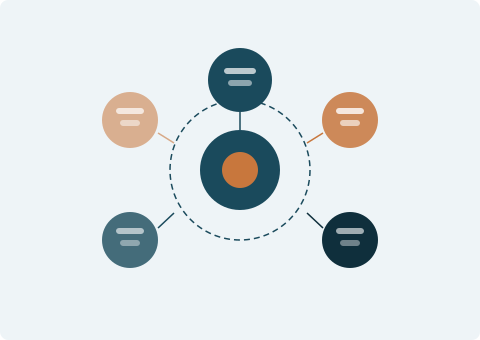
Diagram showing the connected functions of the Kaiveluno information system

An integrated approach to information organisation

The four functions described on this page are designed to work together rather than in isolation. Classification provides the structure that makes the review interface useful. The review interface makes it possible to examine what has been classified. Structured access ensures that users engage with the information in a considered way. Enquiry handling connects users to the support team when they need assistance.

No single function is the primary entry point to the system. Users typically begin by reading the platform documentation, submit an access request through the enquiry form, and then interact with the review interface once access has been established.

How access to the system works

The following steps describe the typical path a user follows when requesting access to the Kaiveluno information system.

  1. Submit an enquiry

    Use the enquiry form to describe the information you are looking for. Include a clear description of the category or topic relevant to your request. The form is available on the Enquiry page.

  2. Request review

    The Kaiveluno support team reviews your submission and determines which section of the system is relevant to your request. This review is carried out by a member of the team, not by an automated process.

  3. Clarification if needed

    If the team needs additional detail to locate the relevant information, they will contact you using the email address you provided in the enquiry form. Responding promptly to any clarification request helps the team provide a more accurate response.

  4. Information response

    Once the request is understood, the support team provides the relevant information or directs you to the appropriate section of the interface. The team does not guarantee the completeness or accuracy of the information beyond the classification applied at the point of ingestion.

Start with an enquiry

If you have reviewed the functions and are ready to request access to the system, use the enquiry form to send your request to the Kaiveluno support team.